Why your future self reads commit history
You rarely read commit history when everything is going well. You read it when a bug shows up in production, a test starts failing weeks later, or you need to understand why a “small refactor” changed behavior. In those moments, commit history becomes your time machine: it tells you what changed, in what order, and what the author thought they were doing.
A clean history makes practical work faster. You can bisect to the exact change that introduced a regression, cherry-pick a fix onto a release branch, or revert a single idea without ripping out unrelated edits. When commits are coherent and messages are specific, you spend less time re-learning context and more time making the next correct change.
When big commits and messy timelines hurt most

You feel the pain of big commits when you’re under time pressure and need the history to behave like a set of reliable handles. A single “WIP” commit that mixes a feature, a rename sweep, formatting, and a dependency bump turns a review into archeology. The reviewer can’t tell what’s essential, what’s incidental, and what’s just noise from a tool. If they miss one risky line buried in the churn, the cost shows up later as a subtle regression.
Debugging gets worse in a more mechanical way. Git bisect assumes each step is a meaningful, buildable snapshot. If half your commits don’t compile, or one huge commit contains three separate behavioral changes, bisect points at a blob instead of a cause. Reverts and cherry-picks become blunt instruments too: you either pull in unrelated edits or you don’t get the fix you need. The most common constraint is time—splitting work feels slower in the moment—but the debt shows up exactly when you can least afford it.
What counts as a “small, coherent” commit
You’ve probably seen the difference in review: one commit where the diff tells a single story, and another where you have to keep asking “why is this file touched?” A small, coherent commit is the first kind. “Small” isn’t a line count target. It’s small enough that a reviewer can hold the change in their head, and small enough that you could revert it without collateral damage.
“Coherent” means one reason to change. Examples: “extract helper and update call sites,” “rename concept X to Y,” or “fix null handling in parser.” Those can touch many files and still be coherent if they’re in service of the same idea. A commit stops being coherent when it mixes different axes, like a behavior change plus formatting plus a drive-by refactor you noticed while you were there.
A practical test is bisectability. If you ran tests, it should at least build, and ideally be a passing snapshot. The constraint is real: sometimes you can’t make every step green without extra scaffolding, and that work costs time—but you can still keep the damage localized and explain it clearly.
How to split work while you’re coding
You usually don’t end up with one big commit because you planned it. You end up there because you chased a failing test, added a log line, adjusted an interface, and then “might as well” cleaned up a warning while the file was open. The trick is to treat committing as part of the editing loop, not a ceremony at the end. When you notice two different kinds of work happening—behavior change versus rename, refactor versus formatting—pause and decide which story you want to finish first.
Git gives you a practical way to separate those stories even when they’re interleaved in the same files. Stage by intent, not by file. Use partial staging to pick just the hunks that belong to “extract helper,” commit that, then stage the remaining hunks for “wire helper into call sites.” If a change is hard to split cleanly, it’s often a sign you need an intermediate step: introduce the new function without using it yet, or add a compatibility wrapper before switching callers.
The cost is context switching. You’ll occasionally spend ten minutes untangling hunks you could have shipped in one blob, but you’re buying a review that stays focused and a history you can safely revert later.
Rewriting local history: reorder, squash, and fix
You don’t have to get every commit perfect on the first try. While you’re working locally, treat your branch history as a draft you can edit before anyone else has to read it. Interactive rebase is the tool for that: reorder commits so prerequisites land before dependents, squash “fix typo,” “oops,” and “address review comment” commits into the change they belong to, and reword messages so they describe the final intent instead of the path you stumbled through.
A common cleanup pass is turning a noisy sequence into two or three commits that tell the story: “refactor to enable change,” then “behavior change,” then “tests.” If one commit accidentally mixes two ideas, you can split it during rebase by resetting it and re-committing with partial staging. The main constraint is coordination: rewriting published history breaks other people’s branches, so do it before you push, or only on branches where your team expects force-pushes and you communicate clearly.
Commit messages that make the changes searchable
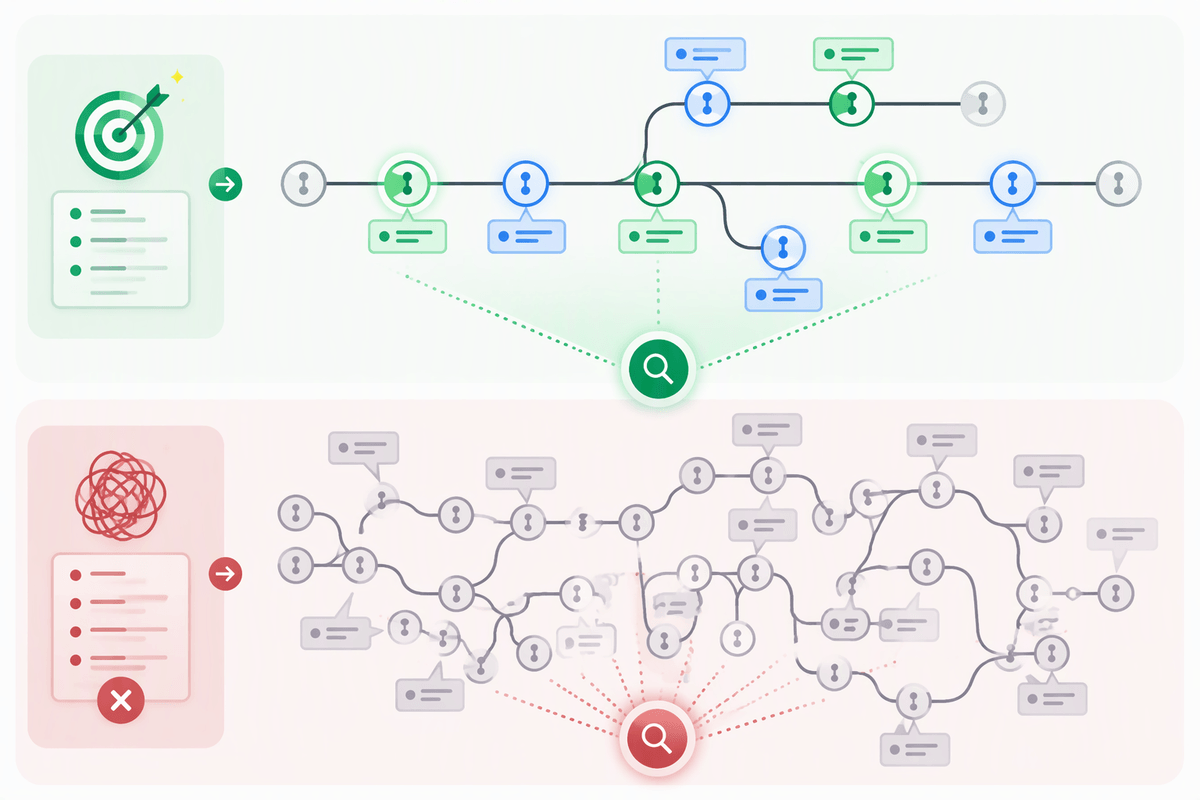
You’ve probably tried to answer a simple question from history: “When did we change the timeout?” or “Why did we stop using this API?” If the commit messages are “WIP” and “fix stuff,” search turns up nothing, and you’re forced to read diffs. A good message makes the intent grep-able. Use a short subject that names the thing and the action: “parser: handle empty token,” “auth: reject expired refresh tokens,” “build: bump grpc to 1.62.” Avoid vague verbs like “update” unless the object is specific.
Add one or two lines of body when the why isn’t obvious from the code. Mention the user-visible behavior, the bug report, or the constraint that forced the approach. If there’s a follow-up, say so explicitly (“prepares for switching to X,” “temporary shim until Y is removed”). The cost is a minute of writing, but it saves hours when someone is bisecting at 2 a.m. and needs keywords that match their mental model.
Adopting the habit without fighting your team
You can keep your own history clean without turning it into a team-wide crusade. Start by making your pull requests easier to review: split commits so each one has a single purpose, and make sure the branch builds at sensible points. Reviewers notice the difference quickly because they can approve in smaller chunks and leave targeted comments instead of “this diff is too big.”
Be explicit about collaboration constraints. Don’t rewrite commits after others have based work on your branch, and don’t force-push to shared branches unless your team already expects it. If your repo enforces squash-merge, treat your branch commits as a review aid anyway, then craft the final squash message to preserve the “why.”