Why Slack Conversations Become Hard to Follow
A simple question in Slack can turn into a scavenger hunt. Someone posts an update in one channel, adds a correction in another, and answers follow-up questions in a thread that few people notice. By the time a teammate needs the information, the original context may be buried under newer messages.
This usually happens because Slack makes communication easy to start but not always easy to organize. People post in the channel they already have open, reply in the main conversation for visibility, or assume everyone remembers an earlier decision. Notifications add another layer of noise, especially for distributed teams working across different schedules. The result is not just clutter. People repeat questions, miss decisions, and spend time reconstructing what happened instead of acting on it.
Start Messages With Enough Context
Before posting, give the reader enough information to understand why the message matters. A question such as “Can we move this?” forces people to search for the project, deadline, and proposed alternative. A clearer version names the subject, explains the immediate issue, and states what response is needed: “The client moved Thursday’s review to Friday at 2 p.m. Can design confirm whether the revised mockups will be ready by noon?”
Choose the channel based on who needs the information and how long it will matter. A project channel is usually better than a private message when teammates may need to find the answer later. For a request, include the owner, deadline, and relevant file or decision. For an update, say whether you are sharing information, asking for input, or seeking approval. This small amount of framing reduces back-and-forth and helps people decide whether they need to act.
Context does not mean writing an essay. Two useful sentences often prevent ten scattered replies. If the topic depends on an earlier conversation, briefly restate the key point rather than assuming everyone can locate it.
Keep Related Replies Inside Threads
Once a message has the right context, keep the follow-up conversation attached to it. Use a thread for clarifying questions, status updates, and discussion that directly relates to the original post. This gives readers one place to review the issue without searching through the channel for disconnected replies. It also keeps the main channel available for separate updates that other teammates may need to notice.
Reply in the channel instead when the information changes the broader conversation. For example, if a decision affects everyone in a project channel, post a short update in the channel and use the thread for details. A thread should not become a hiding place for an important announcement. When a discussion produces a decision, deadline, or assigned task, bring that outcome back into the main channel if people outside the thread need to act on it.
Threads work best when the original message remains understandable on its own. If the topic changes substantially, start a new message with fresh context rather than forcing unrelated subjects into the same thread. This may create one extra post, but it makes future searches and handoffs much easier.
Make Messages Easier to Scan

Even well-organized conversations become difficult to use when each message is a dense block of text. Put the main point first, then add the details people need to respond. For example, start with “Approval needed by Wednesday: should we use the revised pricing slide?” and follow with the background, options, and relevant constraints. Readers can quickly decide whether the message requires their attention.
Use short paragraphs, clear labels, and simple formatting when a message contains several points. A brief heading such as “Timing,” “Open question,” or “Action needed” helps people scan without turning every post into a formal document. If you are listing tasks, name the owner and deadline in the same line. Avoid sending several one-line messages in succession when one structured update would work; each message creates another notification and separates information that belongs together.
Keep formatting purposeful. Bold emphasis can highlight a deadline or decision, but too much emphasis makes everything compete for attention. The goal is not to make Slack look polished. It is to help a teammate understand the point, find the relevant detail, and know what to do within a few seconds.
Use Mentions and Reactions With Care
Mentions should identify who needs to act, not simply increase the chance that someone notices a message. Tag a specific teammate when you need an answer, approval, or task completed. If several people are involved, explain what each person owns instead of mentioning an entire group without direction. Broad mentions such as @channel or @here can be useful for urgent, widely relevant updates, but frequent use trains people to treat every alert as background noise.
Give the request enough context before the mention. “@Jordan, can you review the launch checklist by 3 p.m.?” is more useful than “@Jordan thoughts?” If someone is included for awareness rather than action, say so. This helps teammates judge whether they need to respond, especially when they are working across time zones or managing many notifications.
Reactions can acknowledge receipt, show agreement, or signal a simple choice without creating another message. Use them consistently when the team understands what each symbol means. A check mark might confirm completion, while a question-mark reaction may indicate uncertainty. Do not use reactions to replace a needed explanation or decision; when the issue is important, write the response where others can find it.
Close Loops Where Decisions Happen
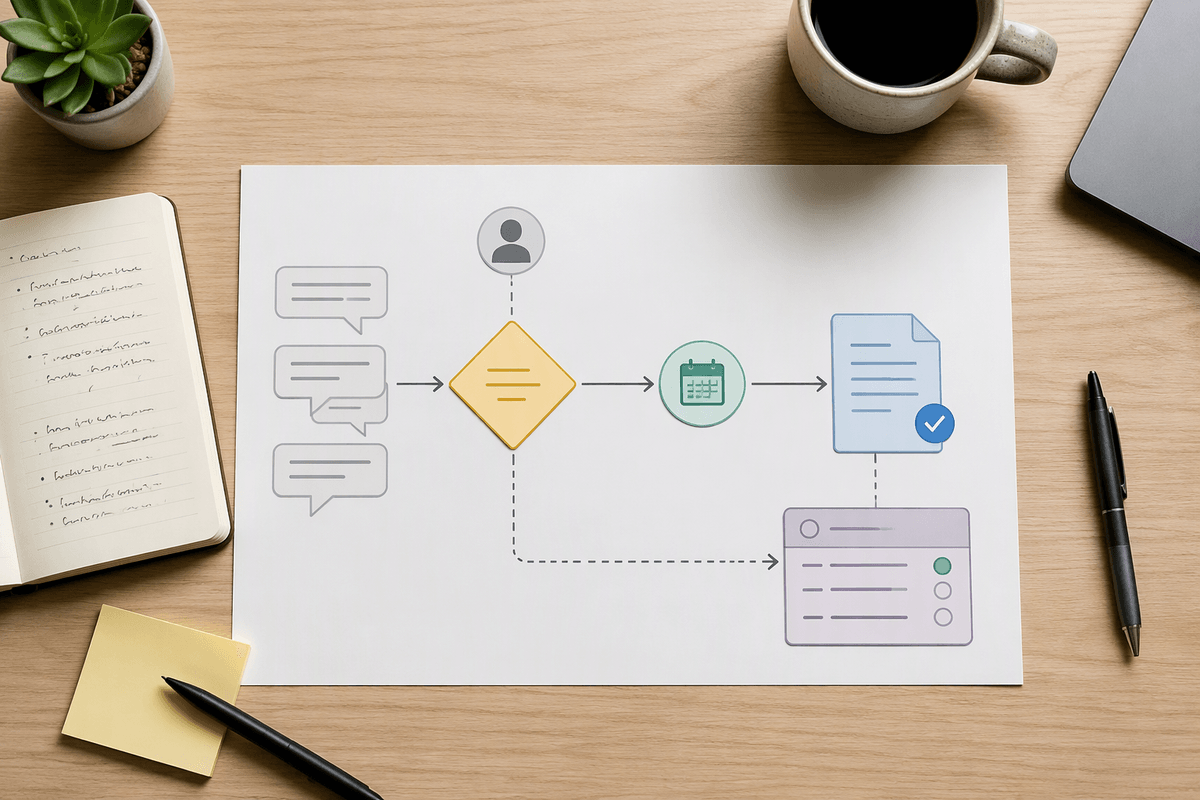
A conversation is not complete when people stop replying. It is complete when the decision, owner, and next step are clear where the relevant work happens. If a thread settles on a launch date, do not leave the outcome buried among suggestions. Post a concise summary in the project channel: “Decision: launch on May 12. Priya owns the final checklist, and engineering will confirm readiness by May 8.”
Summarize decisions after discussion, especially when participants work different hours or not everyone followed the thread. Include what was decided, what remains open, and who is responsible for the next action. If the decision affects a document, ticket, or shared process, update that source as well; Slack is useful for reaching agreement, but it may not be the best permanent record. When plans change, state the change and its impact rather than assuming people will infer it from a new message.
This habit takes a little extra time and can feel repetitive, particularly after a long discussion. That cost is small compared with reopening the same debate or discovering that teammates acted on different interpretations.
Build a Few Habits the Team Can Keep
The most useful Slack practices are the ones a team can repeat without slowing down routine work. Agree on a few defaults: choose channels by audience and topic, add context to requests, keep follow-up in threads, and summarize decisions with an owner and deadline. Team leads can reinforce these habits by modeling them in their own messages rather than turning every mistake into a correction. A short channel description or pinned guideline can also answer common questions about where updates, requests, and decisions belong.
Consistency matters more than perfect formatting. Some messages will still be rushed, and urgent situations may require exceptions. The practical test is whether a teammate can understand the conversation, identify the latest decision, and take the next step without asking for missing context. When that becomes the team’s normal standard, Slack stays useful even as projects, schedules, and participants change.